안녕하세요!
2025년 7월 14일, UI·UX 반응형 웹퍼블리셔 국비 지원 수업 35일차 수업 내용을 정리해보았습니다.
오늘은 능력단위평가 날로 수정 보완을 진했습니다.
---
35일차 능력단위평가 진행
- 프로필 페이지 수정
프로필 페이지 수정 보완을 하여 저만의 프로필을 만들었습니다.
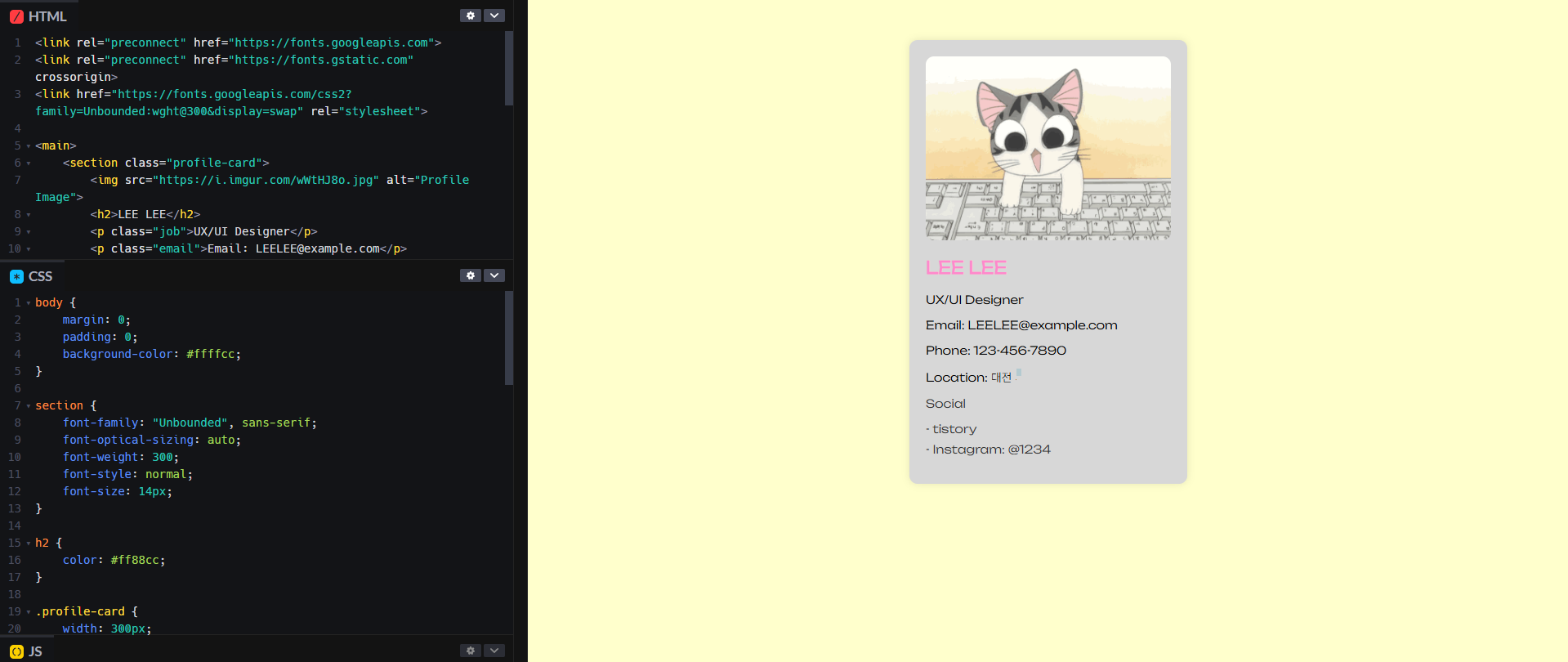
<link rel="preconnect" href="https://fonts.googleapis.com">
<link rel="preconnect" href="https://fonts.gstatic.com" crossorigin>
<link href="https://fonts.googleapis.com/css2?family=Unbounded:wght@300&display=swap" rel="stylesheet">

<main>
    <section class="profile-card">
        <img src="https://i.imgur.com/wWtHJ8o.jpg" alt="Profile Image">
        <h2>LEE LEE</h2>
        <p class="job">UX/UI Designer</p>
        <p class="email">Email: LEELEE@example.com</p>
        <p class="phone">Phone: 123-456-7890</p>
        <p class="location">Location: 대전시</p>

        <div class="social">
            <p>Social</p>
            <ul>
                <li class="tistory">
                    <a href="https://eeeljun.tistory.com/">- tistory</a>
                </li>
                <li class="instagram">
                    <a href="#">- Instagram: @1234</a>
                </li>
            </ul>
        </div>
    </section>
</main>
/* css */
body {
margin: 0;
padding: 0;
background-color: #ffffcc;
}
section {
font-family: "Unbounded", sans-serif;
font-optical-sizing: auto;
font-weight: 300;
font-style: normal;
font-size: 14px;
}
h2 {
color: #ff88cc;
}
.profile-card {
width: 300px;
padding: 20px;
border-radius: 10px;
box-shadow: 0px 0px 10px rgba(0, 0, 0, 0.1);
margin: 50px auto;
background-color: #d7d7d7;
transition: transform 0.5s ease;
}
.profile-card:hover {
transform: scale(1.05);
}
.profile-card img {
width: 300px;
border-radius: 10px;
}
.profile-card div {
margin: 0;
color: #333;
}
.social a {
text-decoration: none;
color: #333;
}
.social ul {
list-style: none;
padding: 0;
}
.social li {
margin-bottom: 8px;
}
---
마무리
오늘은 능력단위평의 수정 보완을 해보왔는데요.
시멘틱 구조에 맞게 html를 수정하고, 색상 및 효과를 넣기위해 css 보완하였는데 마음에 듭니다.ㅎㅎ
그럼 안녕-
728x90
'(국비)UX º UI 및 웹퍼블리셔 수업 > JS' 카테고리의 다른 글
| [웹 국비 교육 27일차] JS, jQuery: 기초 개념 정리 (2025. 7. 2.) (2) | 2025.07.02 |
|---|---|
| [웹 국비 교육 25일차] JS: 반복문 for, 함수, 함수 매개변수 정리 (2025. 6. 30.) (0) | 2025.06.30 |
| [웹 국비 교육 21일차] JS: 다중 while문 정리 (2025. 6. 24.) (0) | 2025.06.26 |
| [웹 국비 교육 20일차] JS: 6강 문제 풀이 정리 (2025. 6. 23.) (0) | 2025.06.23 |
| [웹 국비 교육 19일차] JS: 반복문 while 정리 (2025. 6. 20.) (0) | 2025.06.20 |